| |
|
|
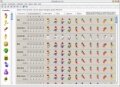
Favorites : In its Favorites list, My Buddy Icons already includes more than 160 original icons which were created by Newera IconCool Team. You can directly send these cool icons to your AIM. |
|
|
|
|
|
|
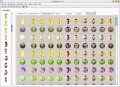
Customization : My Buddy Icons allows you to customize your buddy icons with 20 different image filters and easily adjust their color-balance or brightness. |
|
|
|
|
|
|
Combination : My Buddy Icons can combine your favorite icons with many background images, it also allows you to adjust the icon sizes or positions. |
|
|
|
|
|
|
Sites : My Buddy Icons also has a website directory for buddy icons, it allows you to find many excellent buddy icons on internet. |
|
|
 |
|
|
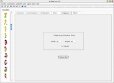
Capture : A built-in capture tool also allows you to capture desktop content as an icon and add it to the collection or save it as .ico file. |
|
|
 |
|
|
Others : |
|
|
My Buddy Icons can import any image or photo and quickly convert it into a custom buddy icon (or regular icon file). It supports the following formats: BMP, DIB, EMF, GIF, ICB, ICO, ICL, JPG, JPEG, PBM, PCD, PCX, PGM, PNG, PPM, PSD, PSP, RLE, SGI, TGA, TIF, TIFF, VDA, VST, WBMP and WMF.
|
| |
| |
My Buddy Icons can save icons in the following formats: BMP, CUR, GIF, JPG, ICL, ICO, PNG, WBMP, EMF, WMF, TGA and TIF.
My Buddy Icons can also extract icons from EXE, DLL, ICL and similar file types, then send the extracted icons to its Favorites list. |
|
|
|
|
|
|
|
|
|
| Q: |
I am a registered user. How can I upgrade my applications to the latest full-working versions free of charge? |
 |
| A: |
Normally, you can complete the upgrade simply by the following steps:
1. Make sure your application supports Live Update. If it is an old copy, please download a Full Installation Package from the Download page, then re-install it.
2. Run your application, click [I've already purchased...] on the Registration dialogbox.
3. Enter your Email which was specified in your order, click [I don't have the registration code].
4. After authentication, your registration code will be sent at your email.
5. Check your email box to get your registration code.
6. Enter your registration code, then click [Next]. Your application will be upgraded to the latest full-working version.
If you failed to update online, you can also login into the Customer Admin Area to download the upgrade package directly.
The IconCool Customer Admin Area has been launched from 5/29/2003.
==================================================
What can you do in Customer Admin Area?
1. Profile modify;
2. Obtain registration code again for free;
3. Download the latest upgrade package for free;
3. Check your order information;
4. Get to know new release and update information.
Url: http://www.myiconcool.com
|
| |
| |
If you have forgotten your original email, please contact with us along with the following order information: |
| a. |
Software Name |
| b. |
Order ID |
| c |
Registration Name |
| d. |
Your Company name and mail address |
| e. |
Old registration code |
| |
|
|
|
|
|
 Online - FREE Original Icons
 Shareware Promotion Expert - Submit your software to 600 software archives.